

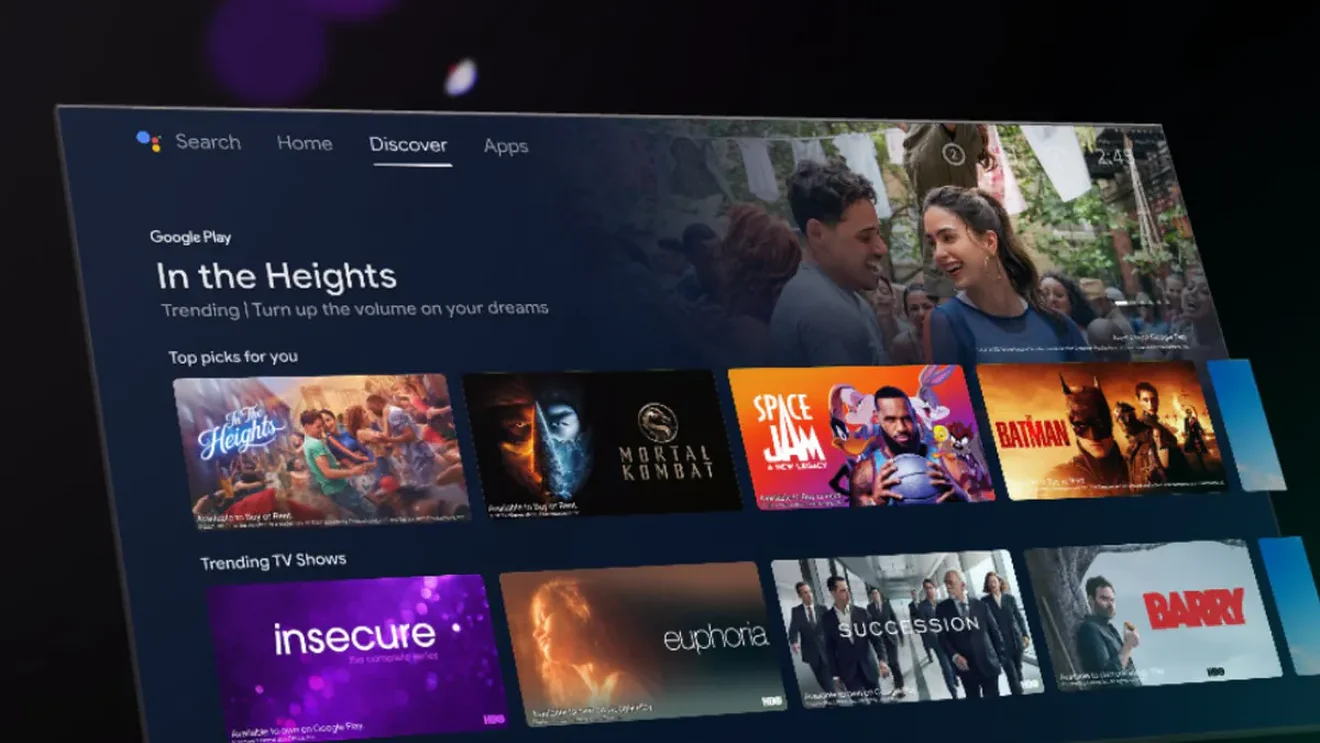
Owners of Android TV and Google TV sets are connecting coding agents, mainly Claude Code, to their televisions and telling them to disable ads, telemetry and manufacturer-preinstalled apps. A developer known as Gathin turned one such session on his parents’ TV into an open-source project called tv-vibehack, which collected more than 1,300 stars and 146 forks on GitHub within days of publication.
- Developer Gathin (Gathin23) turned a Claude Code session on his parents' Xiaomi Mi TV into the open-source tv-vibehack project, which passed 1,300 GitHub stars and 146 forks within days, according to It's FOSS on October 19, 2026.
- tv-vibehack uses ADB over Wi-Fi with pm disable-user commands, with no root access, to disable telemetry, ad services and preinstalled apps without uninstalling them, then replaces the home screen with a 1.6 MB Java launcher (com.gathin.tvhome) built for TVs with 1 GB of RAM.
- Most of the package lists disable the manufacturer's update service, so the TV stops receiving security patches until the user deliberately re-enables it, and the project supports only Android TV and Google TV, not Samsung, LG or Amazon Fire TV.
Android TV and Google TV are Google’s smart TV platforms, used by manufacturers including Sony, TCL and Hisense. The method is simple and needs no root access. A TV has the same Android Debug Bridge (ADB) as a smartphone, and the AI agent sends standard pm disable-user commands over Wi-Fi. Those commands put unwanted packages to sleep instead of deleting them. A lightweight Apple TV-style launcher then replaces a home screen clogged with sponsored rows.
The post by Ryan Doyle that started the October wave:
https://twitter.com/doooyle/status/2111196679680540724
A post on X led to a repo with 1,300 stars within days
The current wave began on October 16, 2026, with a post on X by Ryan Doyle. He said he had hacked his TV with Claude Code and gotten rid of ads, bloatware, spyware and a laggy interface. He sent the agent his TV’s store listing and asked whether the set could be hacked. A video showing the TV’s speed after the cleanup, posted a day later, had 2.4 million views at the time of writing.
Soon after, a developer named Gathin (Gathin23 on GitHub) described how he cleaned his parents’ Xiaomi Mi TV in a single afternoon. The set showed them an ad before they could even reach Netflix. According to his account as quoted by Techaeris, Claude Code received the model number, found the TV on the Wi-Fi network by itself, disabled 25 Xiaomi packages and wrote a new launcher.
The whole process, including the prompt, went into the tv-vibehack repository under the MIT license. The site It’s FOSS reported on October 19 that the project had passed 1,300 stars and 146 forks. The repository page shows the same figures.
Gathin’s post: https://twitter.com/gathint/status/2111379569030939102
tv-vibehack works in three ADB steps and uninstalls nothing
tv-vibehack does nothing an advanced user couldn’t do by hand. The difference is that an AI agent runs the whole sequence itself and asks for decisions only where needed.
According to the project documentation, the process goes like this:
- On the TV: Settings → Device Preferences → About → press OK seven times on “Build” → Developer options → enable USB debugging. On some TVs (including Xiaomi) there is no separate toggle for wireless debugging, but USB debugging alone opens ADB on the network on port 5555.
- On a computer on the same Wi-Fi network: paste the prompt from the PROMPT.md file into Claude Code or another assistant with shell access, and give it the TV model.
- The agent backs up the package list and settings, disables telemetry, ad services, content rows and the manufacturer’s preinstalled apps, then installs its own launcher and sets it as the home screen. It checks each step with screenshots pulled from the TV.
Before starting, the prompt asks the user control questions: which streaming services they use, which four apps should go in the dock, and whether to keep the voice assistant, Chromecast and firmware updates.
Gathin says his first attempt, on a TV with 1 GB of RAM, took a whole afternoon. People who use the finished repository as context report about 15 minutes.
The launcher weighs 1.6 MB and targets TVs with 1 GB of RAM
In place of the Google TV home screen, the user gets a native app, com.gathin.tvhome, of about 1.6 MB. It is written in plain Java with AndroidX RecyclerView. The project deliberately avoids Kotlin, Compose, background blur, video and background services, because the targets are cheap TVs with 1 GB of memory.
The interface imitates tvOS. It has a black background, a dock with four favorite apps, and a top shelf showing the name of the highlighted app with a glow in the color of its icon. It also has a grid of the remaining apps, buttons for HDMI inputs, Wi-Fi and settings, and a large clock with the date. An optional clock screensaver moves around the screen to avoid burn-in.
The repository does not publish a ready-made APK. Users must build the launcher themselves with one script (it needs JDK 17 and the Android SDK). The author explains this as a way to control what lands on the TV.
tv-vibehack covers Android TV and Google TV, not Samsung, LG or Fire TV
The project works on any Android TV or Google TV device, including TVs from Xiaomi, Redmi, TCL, Hisense, Sony, OnePlus and Realme, and Nvidia Shield set-top boxes. It does not support Samsung (Tizen), LG (webOS) or Amazon Fire TV. Those systems either work differently or don’t let an external launcher take over the Home button.
Package lists tested and reported by the community at the time of writing:
| TV | System |
|---|---|
| Xiaomi Mi TV 4A (MiTV-MOOQ1) | Android TV 10 |
| Xiaomi MiTV-AXSO0 | Android TV 9 |
| TCL 55″ 4K Google TV, 2023 (G10) | Google TV 12 |
| SANYO ATV R2 | Android TV 9 |
| OnePlus TV (D00) | Google TV 14 |
For models not on the list, the prompt tells the agent to discover the bloatware itself and ask the user before disabling anything the user might use.

Analysis
I’ll admit I like this story more than most of the AI agent news I read in a week. There is no new technology in it. ADB has existed for years, so has pm disable-user, and guides to decluttering Android TV have sat on XDA for a decade. What’s new is that the barrier to entry has dropped to “paste a prompt and answer five questions.” That is real value for people who have no desire to read about system packages but are fed up with an ad before Netflix on a TV they paid for.
There is a downside, and Gathin himself states it plainly. Most of the lists disable the manufacturer’s update service, so the TV stops receiving security patches until someone deliberately reverses that. We are also handing an agent a shell on a device on the home network and hoping it doesn’t confuse a package name. The com.tcl.suspension case sounded harmless and took away the remote’s input-source button. It shows these mistakes happen. Reversibility saves the situation only if the user knows there is something to reverse.
The question that interests me most is whether manufacturers will react. Ads on the home screen are a revenue source for them, not a bug. If AI cleanups of TVs go mainstream, I would expect ADB to be blocked in later firmware releases rather than apologies.
Mert Cobanov’s August prompt showed how to fence in an agent so it doesn’t break the hardware
The October wave has a predecessor. On August 29, 2026, Turkish AI engineer Mert Cobanov published a ready-made prompt at tv.cobanov.dev for Claude Code and Codex that cleans an Android TV over ADB. His four-year-old TV reportedly ran more smoothly after the procedure than when it came out of the box. Tom’s Hardware covered the story in early September.
Cobanov wrote on X: “This morning, I opened the developer options on my Android TV and told Claude to connect to the TV via ADB and debloat it” (translated from the Turkish original, as published by Tom’s Hardware).
The construction of Cobanov’s prompt is more interesting than the result. The blog Phosphene took it apart:
- A ban on uninstalling anything. Only
pm disable-useris allowed, with the reversing command written down next to it. - A “do not touch” package list: Google Play services, HDMI input handling, the keyboard, and
com.android.location.fused, which on some builds throws the TV into a reboot loop when disabled. - Work in batches of about ten packages, with a pause to check the remote, HDMI inputs, sound and the on-screen keyboard.
- An obligation to ask the user about every package whose function the agent can’t identify.
- The default Google TV launcher may be disabled only after the open-source FLauncher has been installed, started and set as default.
The rule about asking before touching an unknown package came from a real mishap. On Cobanov’s TV the com.tcl.suspension package looked unnecessary, and after it was disabled the input-change button vanished from the remote.
Copycat repos: dumbtv for Fire TV and tv-home with a launcher 109 MB lighter
Similar projects appeared after tv-vibehack. It’s FOSS points to dumbtv by user humblemuzzu, built for Amazon Fire TV, which tv-vibehack does not support. It was tested on a Fire TV Edition TV running Fire OS 7.7.1.7 (based on Android 9). It disables about 65 packages, including Amazon’s ACR (automatic content recognition, which identifies what is on screen), the advertising ID and viewing-time analytics. It also runs a DNS filter on the TV that blocks telemetry and update servers. Its launcher weighs 41 KB and has no permissions. The repository contains AGENTS.md, CLAUDE.md and llms.txt files, so it is written with AI agents as the executors in mind.
Separately, Mihir Gupta published a repository called tv-home. He described on X how, in one afternoon with Claude Code, he disabled 25 unneeded apps and replaced the 192 MB factory launcher with his own, which weighs 83 MB.
Disable instead of delete, mind the order, and close the ADB port
Project authors and people who have gone through the process report several pitfalls. It’s FOSS collected them, and some are described in the tv-vibehack documentation itself:
- Disable, don’t uninstall. Removing a system package is a path to losing the Home button or HDMI input switching. Disabled packages can be restored with the
restore.shscript or from the TV’s settings. - Order matters. Disabling the factory launcher before installing the new one makes the Home button lead to a factory-test app.
- Turn off USB debugging when finished. An open ADB port on a home network is unnecessary risk, and the launcher keeps working without it.
- Most lists disable the manufacturer’s update service. Patches stop arriving until the user deliberately re-enables it.
- Not everything running in the background is bloatware. Disabling voice search or Chromecast will speed up the TV but remove features other household members may use.
- Claude itself can be an obstacle. Some users reported that a session refused to work after the command “hack my TV.” Better results came from giving the model and package list and asking it to remove ads and speed up the device.
The speedup depends on what the TV shipped with. Cheap Android TV models usually have 1-2 GB of RAM, which is why the tv-vibehack launcher drops blur, video and background services.
Check regional firmware and warranty terms before trying this
The package lists in the tv-vibehack repository come from models sold mainly in Asia and the US. TCL, Xiaomi or Sony sets bought elsewhere usually have different firmware, different regional apps and different manufacturer package names. The prompt assumes the agent will discover them itself, which means more control questions and more responsibility for the user’s answers. I found no list in the repository for any model running European firmware.
Warranty is the second issue. Enabling developer options and disabling system packages does not modify the firmware or require root. It is unknown, though, how individual manufacturers and retailers would treat a TV with its update service disabled in a warranty claim. The sources do not answer that question.
Sources and methodology
- tv-vibehack repository and documentation on GitHub (state as of October 19, 2026)
- Ryan Doyle’s post on X (October 16, 2026)
- Gathin’s post on X
- It’s FOSS (October 19, 2026)
- Techaeris (October 18, 2026)
- tv.cobanov.dev, Mert Cobanov’s prompt page
- Phosphene (August 31, 2026)
- Tom’s Hardware
Posts on X by Ryan Doyle, Gathin and Mihir Gupta were checked directly or in publications that quote them with a link. Mert Cobanov’s quote was verified against the English translation published by Tom’s Hardware; the original is in Turkish.
Analysis and editorial responsibility: Piotr Wolniewicz, Editor-in-Chief, AIPORT. Original Polish reporting: Marcin Grześkowiak (aiport.pl).
This article was originally published in Polish on aiport.pl on October 19, 2026.
https://aiport.pl/co-nowego-w-ai/claude-code-czysci-smart-tv-z-reklam-i-bloatwareu-projekt-tv-vibehack-zebral-ponad-1300-gwiazdek-na-githubie-w-kilka-dni/